From Concept to SaaS: Building RentGrab - A Peer-to-Peer Rental Marketplace
The journey of creating a complete SaaS platform from the ground up. Real insights from building web, mobile apps, and brand identity for a peer-to-peer marketplace.
When I set out to create RentGrab in 2025, I knew I was taking on something ambitious: a complete peer-to-peer rental marketplace with web and mobile apps, full brand identity, and comprehensive marketing strategy. Here's the story of building a modern SaaS platform from scratch.
The Vision
RentGrab solves a simple but widespread problem: people own things they rarely use while others nearby need exactly those items. Whether it's a pressure washer for weekend projects, camera equipment for events, or party supplies for celebrations—buying isn't always the answer.
The goal was to create a platform where anyone can rent anything, by the hour or by the day, making access matter more than ownership.
Choosing the Technology Stack
For a project of this scale, technology decisions were critical. Here's what I chose and why:
Frontend: React + TypeScript
Why React:
- Component-based architecture perfect for complex UIs
- Massive ecosystem of libraries and tools
- Great performance with virtual DOM
- Shared code between web and mobile
Why TypeScript:
- Catches bugs at compile time, not runtime
- Better developer experience with IntelliSense
- Easier refactoring and maintenance
- Self-documenting code through type definitions
Real Impact: TypeScript caught hundreds of potential bugs before they reached production. For a marketplace handling payments and bookings, this type safety was essential.
Backend: Laravel
Why Laravel:
- Elegant syntax and developer-friendly
- Built-in authentication and authorization
- Powerful ORM (Eloquent) for database operations
- Robust API development capabilities
- Excellent documentation and community
What Laravel Handled:
- User authentication and verification
- Listing management and search
- Booking system with conflict detection
- Payment processing integration
- Automated notifications and emails
- Admin dashboard and analytics
Mobile: React Native with Expo
Why React Native + Expo:
- Write once, deploy to both iOS and Android
- Share business logic with web app
- Expo simplifies complex native functionality
- Over-the-air updates without app store approval
- Strong community and excellent documentation
Mobile-Specific Features:
- Camera integration for listing photos
- Push notifications for bookings and messages
- Location-based item discovery
- Offline support for viewing saved listings
Supporting Technologies
Redis: Fast caching and session management Docker: Consistent development and deployment environments Git: Version control and collaboration Tailwind CSS: Rapid, responsive UI development Figma: Design system and UI/UX prototyping
The Development Process
Phase 1: Foundation & Planning (Weeks 1-2)
Before writing code, I spent time on strategic planning:
Market Research:
- Analyzed successful P2P platforms (Airbnb, Turo)
- Identified gaps in existing rental services
- Surveyed potential users about needs and concerns
Technical Architecture:
- Designed database schema for listings, users, bookings
- Mapped out API endpoints and data flow
- Created wireframes for key user flows
- Established security and privacy requirements
Design System:
- Developed brand identity and logo
- Created color palette and typography system
- Built component library in Figma
- Designed for accessibility from day one
Phase 2: Core Platform Development (Weeks 3-8)
User Authentication System:
- Email/password and social login options
- Email verification for new accounts
- Two-factor authentication for security
- Profile management with photo uploads
Listing Creation Flow:
- Multi-step listing form with validation
- Category and subcategory selection
- Photo upload with compression and optimization
- Pricing suggestions based on category
- Availability calendar management
- Location selection with map integration
Search & Discovery:
- Category browsing with filters
- Location-based search (radius filtering)
- Price range and availability filtering
- Sorting by relevance, price, distance, ratings
- Saved searches and favorites
Booking System:
- Real-time availability checking
- Booking request and instant book options
- Conflict detection and prevention
- Calendar synchronization
- Automated confirmation emails
Phase 3: Trust & Safety Features (Weeks 9-10)
Trust is everything in a P2P marketplace. Here's what I built:
User Verification:
- Email and phone verification
- Government ID verification (optional, for higher trust)
- Social media account linking
- Trust badges for verified users
Rating & Review System:
- Bi-directional reviews (renters and owners rate each other)
- Review prompts after completed rentals
- Publicly visible ratings and written reviews
- Fraud detection for fake reviews
Messaging System:
- In-app messaging between renters and owners
- Message history attached to bookings
- Automated message templates
- Safety features (no external contact info sharing before booking)
Security Features:
- Secure payment processing (PCI compliant)
- Damage protection and insurance options
- Dispute resolution process
- User reporting and blocking
- 24/7 support system
Phase 4: Payment Integration (Weeks 11-12)
Money handling required extra care:
Payment Flow:
- Renter pays upfront (hold on card)
- Owner confirms pickup/delivery
- Rental period completes
- Payment released to owner (minus platform fee)
- Security deposit returned if no issues
Features Implemented:
- Multiple payment methods (cards, digital wallets)
- Automatic tax calculation
- Split payments (platform fee + owner earnings)
- Payout scheduling (daily, weekly, monthly)
- Transaction history and invoicing
- Refund processing for cancellations
Phase 5: Mobile App Development (Weeks 13-16)
The mobile apps brought unique challenges and opportunities:
Mobile-Specific Design Decisions:
- Bottom navigation for core features
- Swipe gestures for browsing listings
- Native camera integration for photos
- Push notifications for time-sensitive updates
- Offline mode for viewing saved content
Performance Optimization:
- Lazy loading for images and data
- Efficient pagination for search results
- Caching for frequently accessed data
- Image compression before upload
- Background sync for offline actions
Testing Process:
- Device testing (various iOS and Android devices)
- Beta testing with real users
- Performance testing on slow networks
- Accessibility testing with screen readers
Phase 6: Dashboard & Analytics (Weeks 17-18)
Both users and admins needed robust dashboards:
User Dashboard:
- Earnings tracking for owners
- Rental history for renters
- Active and upcoming bookings
- Messaging center
- Performance metrics (views, favorites, conversion rates)
- Payout management
Admin Dashboard:
- User management and verification
- Listing moderation and approval
- Transaction monitoring
- Dispute resolution tools
- Platform analytics and reporting
- Revenue tracking
Challenges and Solutions
Challenge 1: Complex Booking Conflicts
Problem: Ensuring items aren't double-booked while allowing flexible hourly or daily rentals.
Solution:
- Built a robust conflict detection algorithm
- Real-time availability checking using Redis caching
- Grace periods between rentals for pickup/return
- Calendar blocking for maintenance periods
Code Approach: Created reusable availability checking service that validates new bookings against existing reservations, considering start times, end times, and buffer periods.
Challenge 2: Search Performance at Scale
Problem: Fast location-based search with multiple filters across thousands of listings.
Solution:
- Implemented database indexing on key fields
- Used Redis for caching popular searches
- Built efficient query structure avoiding N+1 problems
- Pagination with cursor-based navigation
Performance: Search queries execute in <200ms even with complex filters.
Challenge 3: Trust and Safety
Problem: Building trust between strangers sharing valuable items.
Solution:
- Multi-layered verification system
- Clear damage protection policies
- Quick dispute resolution process
- Transparent rating system
- Insurance partnership for high-value items
Challenge 4: Mobile App Performance
Problem: Keeping mobile apps fast and responsive across various devices and network conditions.
Solution:
- Aggressive image compression and lazy loading
- Offline-first architecture for browsing
- Background sync for data updates
- Progressive image loading
- Minimal third-party dependencies
Key Features That Make It Work
Smart Discovery
Users can browse inventory by:
- Category: Home & Garden, Events & Entertainment, Recreation & Hobbies
- Location: Radius-based search from current location or address
- Price: Hourly or daily rate ranges
- Availability: Specific dates and times
Flexible Booking
- Book items by the hour, day, week, or month
- Instant booking or request approval
- Flexible pickup/delivery options
- Automated confirmations and reminders
- Easy cancellation policies
Community First
- Build local connections
- Support neighbors
- Contribute to sustainable consumption
- Reduce waste and unnecessary purchases
- Create income from idle assets
Lessons Learned
1. Start with MVP, Iterate Based on Feedback
I didn't build every feature upfront. Initial launch focused on:
- Core listing and booking functionality
- Basic messaging
- Essential trust features
- Simple payment processing
Advanced features like insurance options, delivery services, and AI recommendations came later based on user feedback.
2. Type Safety Saves Time
TypeScript's type system caught countless bugs during development. The upfront cost of writing types paid off exponentially during refactoring and feature additions.
3. Mobile-First Thinking
Designing for mobile first forced better UX decisions. Desktop became an enhancement of the mobile experience, not the other way around.
4. Test Real-World Scenarios
Laboratory testing wasn't enough. Beta testing revealed issues like:
- Confusing photo upload flow
- Unclear cancellation policies
- Need for better availability visualization
- Missing edge cases in booking conflicts
5. Performance Matters from Day One
Optimizing later is harder than building fast from the start. Decisions like using Redis caching, implementing efficient database queries, and optimizing images early prevented major refactoring later.
The Technology Decisions in Retrospect
What Worked Well
React + TypeScript:
- Productivity was high once the type system was in place
- Component reusability across web and mobile saved significant time
- Large ecosystem meant solutions existed for most problems
Laravel:
- Rapid API development with clean, maintainable code
- Built-in features (auth, queues, scheduling) saved weeks of development
- Eloquent ORM made complex database queries manageable
Expo:
- Simplified mobile development significantly
- Over-the-air updates are invaluable for quick fixes
- Push notifications and camera integration were straightforward
Tailwind CSS:
- Rapid UI development without context switching
- Consistent design system automatically enforced
- Easy responsive design
What I'd Do Differently
Database Design: Some early schema decisions required migration headaches later. Spending more time on database architecture upfront would have prevented issues.
Testing Strategy: I should have implemented comprehensive automated testing earlier. Manual testing became increasingly time-consuming as the platform grew.
Documentation: Better code documentation from the start would have helped, especially when revisiting code weeks later.
Building for Scale from Day One
Even though RentGrab started small, I built with growth in mind:
Scalable Architecture:
- Stateless API design for horizontal scaling
- Database query optimization and indexing
- Caching strategy for frequently accessed data
- CDN for static assets and images
- Queue system for background jobs
Monitoring and Logging:
- Error tracking and alerting
- Performance monitoring
- User analytics for product decisions
- Transaction logging for security
- Uptime monitoring
The Business Impact
Creating RentGrab taught me that successful SaaS development isn't just about code—it's about solving real problems with thoughtful technology choices.
Technical Achievements:
- Full-stack SaaS platform in 18 weeks
- Web + iOS + Android apps from single codebase
- Secure payment processing and transactions
- Scalable architecture ready for growth
- Comprehensive admin tools
Platform Capabilities:
- Smart search and discovery
- Flexible booking options
- Secure payment processing
- Trust and safety features
- Community building tools
What Makes a SaaS Project Successful
After building RentGrab, here's what I learned about successful SaaS development:
Clear Problem Definition
Understand exactly what problem you're solving and for whom. RentGrab addresses the inefficiency of ownership when access is sufficient.
Technology Fit
Choose technologies that:
- Solve your specific problems
- Have strong communities for support
- Will scale with your growth
- Your team can maintain long-term
Iterative Development
Launch with core features, gather feedback, iterate quickly. Don't wait for perfection.
User-Centered Design
Every feature decision should serve user needs. Technical elegance means nothing if users struggle to complete tasks.
Plan for Scale
Build foundations that can grow. It's easier to scale solid architecture than to rebuild everything later.
From Solo Developer to SaaS Platform
Building RentGrab as a complete SaaS platform—web app, mobile apps, payment processing, trust systems, analytics—was one of the most challenging projects I've undertaken. It required expertise across:
- Frontend development (React, TypeScript)
- Backend development (Laravel, APIs)
- Mobile development (React Native, Expo)
- Database design and optimization
- Payment systems integration
- Security and data protection
- UI/UX design
- Brand development
- DevOps and deployment
The Value of Full-Stack Development
Being able to work across the entire stack meant:
- Faster development without waiting on specialists
- Better architectural decisions seeing the whole picture
- Easier debugging across frontend and backend
- More cohesive user experience
- Lower development costs
Conclusion
Building RentGrab from concept to complete SaaS platform taught me that great software isn't just about writing good code—it's about understanding problems, choosing the right tools, and executing with discipline.
The combination of modern technologies (React, Laravel, React Native) enabled rapid development without sacrificing quality. TypeScript's type safety prevented bugs. Laravel's conventions ensured maintainable code. Expo made mobile development accessible.
But technology alone doesn't make a successful platform. Clear problem definition, user-centered design, iterative development, and attention to trust and security were equally critical.
Whether you're building a marketplace, social platform, or business tool, the principles are similar: understand the problem deeply, choose appropriate technologies, build with quality, and iterate based on feedback.
Ready to Build Your SaaS Platform?
I specialize in full-stack web and mobile application development, from initial concept through launch and beyond. Whether you need a complete platform like RentGrab or focused development on specific components, I can help bring your vision to life.
Need a web developer or app developer for your SaaS project? I build modern, scalable platforms using React, Laravel, TypeScript, and React Native for web and mobile. Let's discuss your project.
Tags

About Kevin Wolff
Kevin is a web developer and digital strategist based in Ocean City, MD. He specializes in creating modern websites, SharePoint solutions, and digital marketing strategies that help businesses grow online.
Free: AI Readiness Checklist
Subscribe and instantly download our 15-question checklist to discover where AI automation can save you time and grow your business.
Related Articles
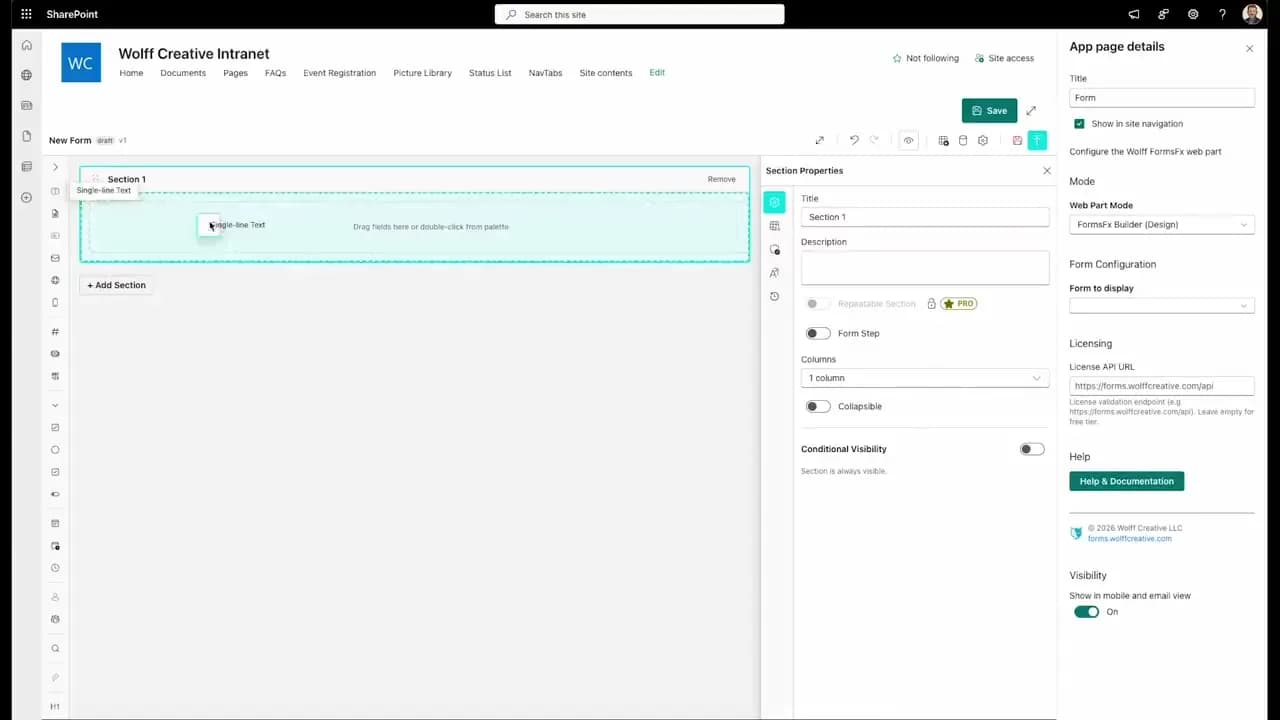
FormsFx: A Drag-and-Drop SharePoint Form Builder with Rules, Formulas, and Cascading Dropdowns
We built a SharePoint form builder that does what InfoPath did — conditional logic, calculated fields, cascading dropdowns — but runs natively as an SPFx web part. Here's how it works under the hood.
Read More →
FormsFx Has a Built-In Submissions Dashboard — Here's Why That Matters
Most SharePoint form builders stop at form submission. FormsFx includes a full dashboard for managing, searching, filtering, exporting, and approving submissions — no Power BI or custom views required.
Read More →
Offline Forms, Webhook Signatures, and Enterprise Connectors — FormsFx Beyond SharePoint Lists
FormsFx doesn't just write to SharePoint lists. It supports offline submission queuing, HMAC-signed webhooks for Power Automate, and enterprise connectors for SQL Server, Dataverse, REST APIs, and Azure Service Bus.
Read More →Need Help With This?
I help Eastern Shore businesses with web development, marketing, and AI automation. Let's talk about your project.
Need Help With Your Project?
Ready to take your business to the next level? Let's discuss how I can help.