When to DIY vs. Hire a Pro: A Small Business Owner's Guide
Not every task needs a professional—but some definitely do. Here's how to know the difference and where to spend your limited budget.
Every small business owner faces the same tension: you want to save money by doing things yourself, but you also know that some things are better left to professionals. The trick is knowing which is which.
After 15 years of working with small businesses—and watching some save thousands by DIYing smartly while others waste months on tasks they should have outsourced—I've developed a clear framework for making this decision.
Here's the honest truth about when to roll up your sleeves and when to write the check.
The Real Cost of DIY
Before we dive into specific tasks, let's talk about what DIY actually costs you.
Your time has value. If you bill clients at $100/hour, every hour you spend fumbling with website edits or designing a flyer costs you $100 in opportunity cost. That "free" logo you spent 20 hours creating in Canva? It cost you $2,000.
Learning curves are steep. Professionals aren't just faster—they know what to do. You'll spend hours researching before you even start. Then you'll make mistakes, redo work, and still end up with something mediocre.
Mistakes can be expensive. A poorly optimized website costs you customers every day. Bad SEO can take months to recover from. A cheap logo undermines every piece of marketing you create.
That said, not everything needs a professional. Some tasks are genuinely worth doing yourself.
The Decision Framework
Before deciding on any task, ask yourself these four questions:
1. What's the cost of getting it wrong?
Low risk: Social media post gets few likes → DIY it High risk: Website security breach, brand looks amateur → Hire a pro
2. Is this a one-time need or ongoing?
One-time: Logo design, website build → Consider hiring (you need it done right once) Ongoing: Social posting, blog updates → Consider DIY (you'll get better with practice)
3. How steep is the learning curve?
Gentle curve: Basic WordPress edits, Canva graphics → DIY-friendly Steep curve: Custom development, technical SEO → Hire unless you enjoy the learning
4. What's the real cost of your time?
Calculate honestly. Include research time, trial and error, and the opportunity cost of not doing revenue-generating work.
Quick Self-Assessment
| Factor | DIY | Hire |
|---|---|---|
| Risk of failure | Low | High |
| Learning curve | <5 hours | >20 hours |
| Your interest level | High | Low |
| Time available | Plenty | Slammed |
| Quality requirement | Good enough | Must be excellent |
| Frequency | Often | Once or rarely |
If you're checking mostly the left column, DIY. Mostly right? Hire someone.
Website: When to DIY vs. Hire
Your website is often the most debated DIY-vs-pro decision. Here's how to think about it:
DIY Your Website When...
You need a simple brochure site. If you just need 5-10 pages with your basic info, services, and contact details, modern website builders can work. Squarespace, Wix, and even WordPress with a good theme can get you online.
You're making content updates. Adding blog posts, updating hours, changing photos—these are perfect DIY tasks. Learn your CMS and handle routine updates yourself.
You're testing a business idea. Before investing in a professional site, a DIY version can validate whether customers even want what you're offering.
Your budget is genuinely zero. A DIY site is better than no site. Just know it's temporary.
Hire a Pro When...
You need e-commerce. Online stores have too many moving parts—payment processing, inventory, shipping, taxes—to fumble through. Bad e-commerce costs you sales daily.
SEO actually matters. If you need to rank in Google (and who doesn't?), a professional build with proper technical SEO is worth the investment. DIY sites often have slow load times, poor mobile experience, and structural issues that tank rankings.
Your business relies on the website. If your website is your primary lead source or sales channel, amateur hour isn't acceptable. A professional site typically pays for itself within months.
You need custom functionality. Booking systems, client portals, integrations with your other tools—these require development expertise.
The Hard Truth About DIY Websites
I've seen hundreds of DIY websites. Most share the same problems:
- Slow loading (template bloat, unoptimized images)
- Not mobile-friendly (or barely)
- Generic look (same template as thousands of others)
- Poor SEO (missing basics that tanks Google rankings)
- No conversion focus (pretty but doesn't generate leads)
DIY sites plateau. They can get you online, but they rarely grow your business. If your website needs to actually perform, invest in professional help.
Social Media: When to DIY vs. Hire
Social media seems like the ultimate DIY task—until you realize how much time it actually takes.
DIY Social Media When...
You're the face of your business. Authenticity matters on social. If your personality is your brand, your voice should come through. No one can fake that.
You enjoy it. Some business owners genuinely like social media. If that's you, lean into it. Your enthusiasm will show.
You're doing day-to-day engagement. Responding to comments, sharing customer posts, community interaction—this should always be you (or your team). Outsourcing engagement feels fake.
You're a local business. Local followers want to hear from the actual business owner. A marketing agency posting on behalf of "Joe's Plumbing" reads hollow.
Hire Help When...
You need a strategy. Posting randomly isn't marketing. A professional can develop a content strategy, identify what your audience wants, and create a sustainable plan.
You're running paid ads. Facebook and Instagram ads require expertise to avoid wasting money. The platforms are designed to take your budget—professionals know how to spend it effectively.
You need consistent content at scale. If you need to post daily across multiple platforms with quality graphics and copy, that's a part-time job. Either hire someone or accept you'll post less.
Your current approach isn't working. If you've been posting for a year with nothing to show for it, something's wrong. Fresh eyes and professional strategy can turn it around.
The "Consistent but Mediocre" Trap
Many business owners fall into posting regularly but without purpose. Three generic posts a week for a year equals 150+ pieces of content that moved the needle exactly zero.
If you DIY social media, be strategic about it. One thoughtful post that speaks to your audience beats five forgettable ones.
SEO: When to DIY vs. Hire
Search engine optimization is where DIY most often goes wrong. The learning curve is steep, mistakes are costly, and results take months—so you won't even know you messed up until it's too late.
DIY SEO When...
You're optimizing your Google Business Profile. This is DIY-friendly and high-impact for local businesses. Add photos, respond to reviews, post updates, keep information accurate. Do this yourself.
You're writing content for your blog. Write about what you know. You don't need an SEO expert to create valuable content that answers your customers' questions.
You're doing basic on-page SEO. Writing good page titles, adding alt text to images, using headers properly—these basics are learnable and worth doing yourself.
Hire a Pro When...
You're in a competitive market. If you're competing with businesses that have professional SEO, you won't win with DIY. SEO is an arms race.
You need technical SEO. Site speed optimization, structured data, crawl issues, indexation problems—this requires expertise. Getting it wrong can actively hurt your rankings.
You're not showing up in local searches. If potential customers in your area can't find you on Google, you need professional help. Every day you're invisible costs you money.
You've been penalized or rankings dropped. Recovering from Google penalties requires professional diagnosis. DIY attempts often make things worse.
Why SEO Mistakes Are Expensive
Bad SEO doesn't just fail to help—it actively hurts. I've seen businesses:
- Get penalized by Google for "SEO tactics" they read about online
- Waste months targeting keywords nobody searches for
- Destroy site speed with bloated plugins promising better rankings
- Create duplicate content that confused search engines
Unlike a bad flyer you can throw away, SEO mistakes compound over time. By the time you realize something's wrong, you've lost months of potential traffic.
Graphic Design: When to DIY vs. Hire
The rise of Canva has made everyone think they're a designer. Sometimes that works. Often it doesn't.
DIY Design When...
You need quick social media graphics. Canva templates for Instagram posts, Facebook covers, or story graphics? Go for it. These are temporary content.
You're making simple internal documents. Meeting agendas, internal flyers, basic presentations—nobody needs professional design for these.
You need a placeholder. Starting a new business and need something for your website while you save for professional branding? A clean Canva logo can hold the space.
Hire a Pro When...
You need a logo. Your logo is the foundation of your visual brand. It appears on everything—website, business cards, signage, social media, invoices. A cheap DIY logo looks cheap everywhere, forever.
You're creating brand identity. Colors, fonts, visual style—these decisions impact every piece of marketing you create. Getting it wrong means either living with amateur branding or paying twice when you redo it.
You need print materials. Business cards, brochures, banners, vehicle wraps—print has technical requirements (bleed, CMYK color, resolution) that DIY tools don't handle well.
First impressions matter. If you're pitching to clients, investors, or partners, amateur visuals undermine your credibility. You can't talk about quality while handing over a pixelated business card.
The Cheap Logo Horror Stories
I could write a whole article on this. Business owners who:
- Paid $50 on Fiverr and got a generic icon they later found on other businesses
- Made their logo in Word and wondered why it looked fuzzy on signs
- Used clip art that they technically didn't have rights to use commercially
- Changed their logo three times in two years because each DIY version embarrassed them
Your logo represents your business for years. The cost difference between a $100 DIY attempt and a $1,500 professional logo amortizes to almost nothing over time—but the quality difference is visible every single day.
SharePoint & Internal Tools: When to DIY vs. Hire
This is my specialty, so I'll be direct: Microsoft 365 and SharePoint are deceptively complex.
DIY Internal Tools When...
You need basic document storage. Setting up document libraries, creating folders, sharing files—this is straightforward. Microsoft has decent tutorials.
You're building simple lists. Tracking inventory, managing contacts, basic project lists—SharePoint lists can handle this, and you can figure it out.
You're testing what you need. Before committing to a custom solution, DIY experimentation helps you understand your actual requirements.
Hire a Pro When...
You need workflows and automation. Power Automate flows, approval processes, notifications—these are programming, even if Microsoft pretends they're not. One wrong configuration can send emails to the wrong people or lose data.
You're rolling out to your whole company. What works for 3 people breaks for 30. Company-wide SharePoint implementations need information architecture, permissions strategy, and change management.
You need integrations. Connecting SharePoint to your other systems—CRM, accounting, email marketing—requires technical expertise and often custom development.
You've already made a mess. Many businesses DIY SharePoint, create chaos, and then call me to fix it. It's easier and cheaper to do it right the first time.
When "Good Enough" Creates Technical Debt
DIY SharePoint solutions tend to grow organically into unmaintainable nightmares. Folders nested 10 levels deep. Permissions nobody understands. Duplicate sites for the same purpose. Workflows that stopped working and nobody knows why.
This technical debt costs you every day in confusion, inefficiency, and risk. A professional implementation isn't just about building—it's about building something sustainable.
The Hybrid Approach
You don't have to choose all-DIY or all-professional. Smart business owners mix approaches:
Start DIY, Graduate to Pro
Begin with DIY to understand what you actually need. Once you know your requirements, hire a professional to do it right.
Example: Build a basic Wix site to launch your business. Once you're generating revenue and know what your customers want, invest in a professional site built for performance.
Hire for Strategy, Execute Yourself
Pay a professional for the plan, then implement it yourself.
Example: Hire a marketing consultant to develop your social media strategy, content calendar, and brand voice guidelines. Then execute the daily posting yourself.
Project-Based vs. Retainer
Not everything needs ongoing professional help. Sometimes you need an expert for a specific project.
Example: Hire a designer for your logo and brand guidelines. Use those guidelines to create your own graphics going forward.
Making the Call
Here's a simple decision matrix to reference:
| Task | DIY If... | Hire If... |
|---|---|---|
| Website | Simple brochure site, content updates | E-commerce, SEO-focused, custom features |
| Social Media | You enjoy it, engagement, local business | Strategy, paid ads, content at scale |
| SEO | Google Business Profile, basic on-page | Competitive market, technical issues |
| Graphic Design | Social graphics, internal docs | Logo, brand identity, print materials |
| SharePoint | Basic storage, simple lists | Workflows, company rollouts, integrations |
The goal isn't to do everything yourself or outsource everything. It's to spend your time and money where they create the most value.
The Bottom Line
DIY isn't about being cheap—it's about being strategic. Some tasks are worth learning, either because they're ongoing (so you'll get efficient) or because your personal touch matters (authenticity you can't outsource).
Other tasks deserve professional help because the cost of getting them wrong exceeds the cost of hiring. Your logo, your website performance, your SEO foundation—these investments pay dividends for years.
The businesses that grow fastest are the ones that DIY strategically and hire intentionally. They don't waste time on tasks where professionals are 10x faster. They don't waste money on professionals for tasks they could easily handle.
Be honest about your skills, realistic about your time, and strategic about where you invest.
Not Sure Where You Fall?
Sometimes you're genuinely on the fence. That's fair—every business is different.
I offer free 30-minute consultations where we can look at your specific situation and figure out what makes sense to DIY and where professional help would pay off. No pitch, just honest advice.
The best investment isn't always the cheapest option or the most expensive one. It's the one that makes sense for your business, your skills, and your goals. If you want help figuring out that balance, let's talk.
Tags

About Kevin Wolff
Kevin is a web developer and digital strategist based in Ocean City, MD. He specializes in creating modern websites, SharePoint solutions, and digital marketing strategies that help businesses grow online.
Free: AI Readiness Checklist
Subscribe and instantly download our 15-question checklist to discover where AI automation can save you time and grow your business.
Related Articles
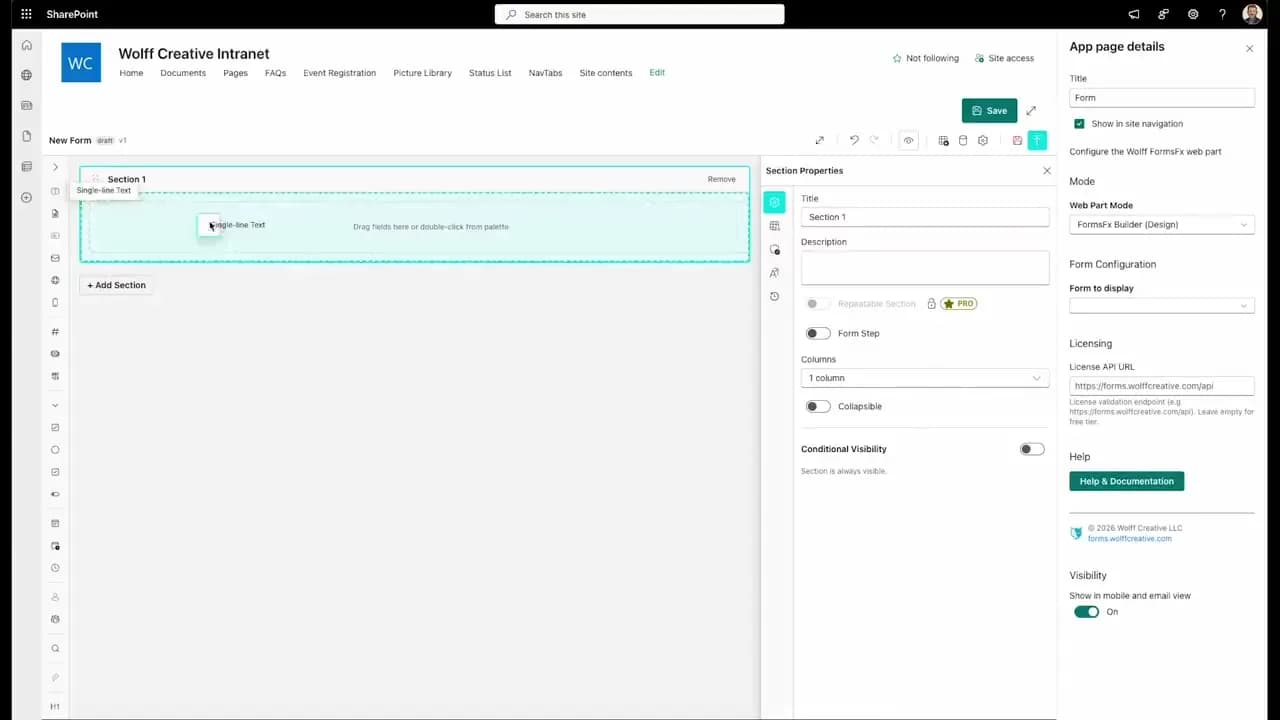
FormsFx: A Drag-and-Drop SharePoint Form Builder with Rules, Formulas, and Cascading Dropdowns
We built a SharePoint form builder that does what InfoPath did — conditional logic, calculated fields, cascading dropdowns — but runs natively as an SPFx web part. Here's how it works under the hood.
Read More →
FormsFx Has a Built-In Submissions Dashboard — Here's Why That Matters
Most SharePoint form builders stop at form submission. FormsFx includes a full dashboard for managing, searching, filtering, exporting, and approving submissions — no Power BI or custom views required.
Read More →
Offline Forms, Webhook Signatures, and Enterprise Connectors — FormsFx Beyond SharePoint Lists
FormsFx doesn't just write to SharePoint lists. It supports offline submission queuing, HMAC-signed webhooks for Power Automate, and enterprise connectors for SQL Server, Dataverse, REST APIs, and Azure Service Bus.
Read More →Need Help With This?
I help Eastern Shore businesses with web development, marketing, and AI automation. Let's talk about your project.
Need Help With Your Project?
Ready to take your business to the next level? Let's discuss how I can help.