Designing for 5,000+ Users: Enterprise SharePoint Development Lessons
Real-world insights from building an enterprise-scale organizational chart for TidalHealth's 5,000+ employees using SharePoint Framework, React, and TypeScript.
Load time with browser crashes common
Lightning fast with 5,000+ employees
Load Time Improvement: 93% faster with zero crashes
Building software for a few dozen users is fundamentally different from building for thousands. When TidalHealth needed an interactive organizational chart to visualize 5,000+ employees, I learned this lesson firsthand. Here's what it takes to build enterprise-scale SharePoint solutions that actually work.
The Challenge: Performance at Scale
Visualizing 5,000 employees in a dynamic, interactive organizational chart presents unique challenges:
- Data Volume: Fetching and processing thousands of employee records
- Rendering Performance: Displaying complex hierarchies without lag
- Search Speed: Instant search across all employee attributes
- Memory Management: Avoiding browser crashes from DOM overload
- User Experience: Maintaining responsiveness during interactions
Traditional approaches simply don't work at this scale. Every decision—from architecture to API calls to rendering strategy—needed to account for enterprise volume.
Technical Foundation: SharePoint Framework + React + TypeScript
For this project, I chose SharePoint Framework (SPFx) with React and TypeScript:
Why SharePoint Framework?
Native SharePoint Integration:
- Seamlessly deploys to SharePoint Online pages
- Accesses SharePoint data with built-in permissions
- Works as both full-page app and embeddable web part
- Leverages Microsoft authentication
Modern Development Experience:
- Uses familiar React patterns
- Supports TypeScript out of the box
- Webpack bundling and hot reload
- NPM package ecosystem
Enterprise Requirements:
- Microsoft-approved deployment method
- Security and compliance built-in
- Scales with SharePoint infrastructure
- No custom servers to maintain
Why React + TypeScript?
React Benefits:
- Component-based architecture for complex UIs
- Virtual DOM for efficient updates
- Rich ecosystem of visualization libraries
- Proven at enterprise scale
TypeScript Advantages:
- Catches errors at compile time
- Self-documenting code through types
- Better IDE support and refactoring
- Safer refactoring in large codebases
Real Impact: TypeScript prevented countless bugs during development. When refactoring the dual supervisor feature, the compiler caught every place that needed updating—saving hours of manual testing.
Performance Optimization: Making 5,000 Feel Like 50
The key to enterprise performance isn't just optimization—it's architectural decisions that prevent problems from the start.
1. Smart Data Fetching
The Problem: Fetching 5,000+ employee records on every load was too slow.
The Solution: Hierarchical data fetching
- Load only the current view's employees initially
- Fetch additional levels on-demand as users navigate
- Cache frequently accessed branches in memory
- Use SharePoint's batch API to minimize requests
Code Strategy:
// Instead of fetching everything:
const allEmployees = await sp.web.lists
  .getByTitle("Employees").items.getAll();

// Fetch hierarchically:
const getRootAndDirectReports = async (rootId: number) => {
  const root = await getEmployee(rootId);
  const directReports = await getDirectReports(rootId);
  return { root, directReports };
};Result: Initial load time dropped from 15+ seconds to under 2 seconds.
2. Virtual DOM Rendering
The Problem: Rendering 5,000 DOM nodes crashes browsers.
The Solution: Render only what's visible
- Calculate visible employees based on viewport
- Render 100-200 nodes at most
- Update as users pan or zoom
- Recycle DOM nodes for new employees
Implementation: Used React's rendering efficiency combined with custom visibility detection to only render currently viewed portions of the org chart.
Result: Smooth 60fps interactions regardless of total employee count.
3. Intelligent Search
The Problem: Searching 5,000 employees must feel instant.
The Solution: Debounced search with smart filtering
- Debounce input to avoid searching on every keystroke
- Index searchable fields (name, title, department, email)
- Filter in-memory data for instant results
- Highlight matches in the UI
Search Performance:
const debouncedSearch = useMemo(
  () => debounce((query: string) => {
    const results = employees.filter(emp =>
      emp.name.toLowerCase().includes(query.toLowerCase()) ||
      emp.jobTitle.toLowerCase().includes(query.toLowerCase()) ||
      emp.department.toLowerCase().includes(query.toLowerCase())
    );
    setSearchResults(results);
  }, 300),
  [employees]
);Result: Search feels instantaneous, returning results in under 100ms.
4. Memoization and Caching
The Problem: Recalculating complex hierarchies on every render wastes CPU.
The Solution: React.memo() and useMemo() everywhere
// Memoize expensive calculations
const organizedHierarchy = useMemo(() => {
  return buildHierarchyTree(employees, rootEmployeeId);
}, [employees, rootEmployeeId]);

// Memoize components that rarely change
const EmployeeCard = React.memo(({ employee }) => {
  return (
    <div className="employee-card">
      {/* Card content */}
    </div>
  );
}, (prevProps, nextProps) => {
  return prevProps.employee.id === nextProps.employee.id;
});Result: Reduced unnecessary re-renders by 80%, dramatically improving interaction responsiveness.
Handling Complex Business Logic
Dual Supervisor Support
Healthcare organizations often have complex reporting structures. TidalHealth needed to show both primary and secondary supervisors:
Technical Challenge: Traditional org charts assume single reporting lines.
Solution: Dual connection types in the data model
interface Employee {
  id: number;
  name: string;
  jobTitle: string;
  primarySupervisorId?: number;    // Solid line
  secondarySupervisorId?: number;  // Dashed line
  directReports: Employee[];
}
Visual Implementation:
- Solid lines for primary reporting relationships
- Dashed lines for dotted/secondary relationships
- Distinct visual hierarchy maintains clarity
Result: Accurately represents complex healthcare organizational structures while maintaining visual clarity.
Flexible Layout Options
Different users needed different views:
Vertical Layout:
- Traditional top-down org chart
- Best for exploring deep hierarchies
- Familiar to most users
Horizontal Layout:
- Left-to-right flow
- Better use of screen width
- Reduces vertical scrolling
Implementation: Toggle button switches between D3.js layout algorithms, re-rendering the same data with different visualization logic.
Configurable Depth Control
The Challenge: Showing all 5,000 employees at once is overwhelming.
Solution: Adjustable depth slider (1-3 levels)
- Level 1: Just direct reports
- Level 2: Two generations down
- Level 3: Three generations visible
Users can drill deeper by clicking any employee to make them the new root.
User Experience Features
Search That Actually Helps
Multi-Field Search:
- Name: "John Smith"
- Job Title: "Registered Nurse"
- Department: "Emergency Medicine"
- Email: "jsmith@"
Real-time Highlighting:
- Matched employees highlighted in chart
- Search results panel shows all matches
- Click result to center chart on that employee
Export Capabilities
Different stakeholders need data in different formats:
CSV Export:
- All employee data in spreadsheet format
- For HR analysis and reporting
- Includes all hierarchical relationships
PNG Export:
- High-resolution image of current view
- For presentations and documentation
- Captures exact visual state
SVG Export:
- Vector format for printing and editing
- Scalable without quality loss
- Professional quality documentation
Responsive Design
The org chart needed to work on all devices:
Desktop: Full feature set, large view area Tablet: Touch-optimized, simplified controls Mobile: Search-first interface, vertical layout priority
SharePoint-Specific Optimizations
Web Part vs. Full Page
Built as both deployment types:
Web Part Mode:
- Embedded in SharePoint pages alongside other content
- Configurable root employee through properties panel
- Compact view optimized for sharing space
Full Page Mode:
- Dedicated page for deep exploration
- Full-screen visualization
- Extended feature set (all export options, etc.)
Property Configuration
SharePoint web part properties allow admins to configure:
- Default root employee
- Initial layout mode (vertical/horizontal)
- Default depth level
- Enabled/disabled features
- Custom colors and branding
PnPjs Integration
Used PnPjs library for SharePoint API calls:
import { sp } from "@pnp/sp/presets/all";

// Efficient batch requests
const [employees, departments] = await Promise.all([
  sp.web.lists.getByTitle("Employees").items
    .select("Id", "Title", "JobTitle", "SupervisorId")
    .top(5000)(),
  sp.web.lists.getByTitle("Departments").items()
]);Benefits:
- Fluent, chainable API
- Built-in batching
- Automatic retry logic
- TypeScript support
Accessibility and Usability
Keyboard Navigation
Full keyboard support for accessibility:
- Tab through employee cards
- Arrow keys to navigate hierarchy
- Enter to expand/collapse nodes
- Esc to return to previous view
Screen Reader Support
ARIA labels and semantic HTML:
<div
  role="treeitem"
  aria-expanded={isExpanded}
  aria-label={`${employee.name}, ${employee.jobTitle},
    ${employee.directReports.length} direct reports`}
>
  {/* Card content */}
</div>
Visual Clarity
- High contrast colors for readability
- Clear visual hierarchy
- Consistent spacing and alignment
- Photo fallbacks to initials
- Color coding by department
Real-World Impact
Performance Metrics
Before (old system):
- Load time: 15-30 seconds
- Search: 3-5 seconds per query
- Browser crashes common with >1000 employees
- Limited to single reporting lines
After (new solution):
- Load time: <2 seconds
- Search: <100ms (feels instant)
- Handles 5,000+ employees smoothly
- Supports complex dual supervisor relationships
User Adoption
Immediate Benefits:
- HR teams can quickly answer reporting questions
- Executives get instant organizational overview
- Department heads visualize their teams
- All employees can find colleagues and supervisors
Usage Patterns:
- 60% of usage: finding reporting relationships
- 25%: department structure exploration
- 10%: contact information lookup
- 5%: exporting for presentations/documentation
Lessons Learned
1. Plan for Scale from Day One
Don't optimize later—build scalable architecture from the start:
- Use pagination and lazy loading by default
- Assume data will grow 10x
- Test with production-scale data sets
- Measure performance continuously
2. TypeScript Is Non-Negotiable at Enterprise Scale
For projects serving thousands of users:
- Type safety prevents production bugs
- Refactoring large codebases is safer
- Code is self-documenting
- IDE support accelerates development
The upfront cost of defining types is repaid many times over.
3. React's Memo Features Are Essential
At scale, unnecessary re-renders kill performance:
- Use
React.memo()liberally for components useMemo()for expensive calculationsuseCallback()for callback functions- Profile with React DevTools to find bottlenecks
4. User Experience Trumps Features
Users don't need every feature—they need their workflows to be fast and obvious:
- Search must feel instant
- Navigation must be intuitive
- Performance must be consistent
- Features must be discoverable
5. Export Capabilities Are Underrated
Users need to work with data outside your app:
- CSV for analysis
- Images for presentations
- Vectors for professional documentation
- APIs for integration
Plan export features from the beginning.
6. SharePoint Framework Has Matured
Modern SPFx development is legitimate web development:
- Uses standard React patterns
- Supports modern tooling
- Deploys reliably
- Scales with Microsoft infrastructure
The "SharePoint is old tech" narrative is outdated.
When to Choose SharePoint Framework
SPFx makes sense when:
You're Already on Microsoft 365:
- SharePoint Online is your intranet
- Teams integration is important
- Microsoft authentication is required
- Compliance is critical
You Need Enterprise Features:
- Role-based permissions
- Version control
- Audit logging
- Backup and recovery
You're Building Internal Tools:
- Employee directories
- Organizational charts
- Department dashboards
- Workflow applications
You Don't Want to Manage Servers:
- No infrastructure to maintain
- Automatic scaling
- Microsoft handles security patches
- Included in existing licensing
Modern SharePoint Development Stack
For enterprise SharePoint solutions, I recommend:
Core Stack:
- SharePoint Framework 1.19+
- React 17/18
- TypeScript 5.x
- Fluent UI React (Microsoft's design system)
Supporting Tools:
- PnPjs for SharePoint API calls
- D3.js for data visualization
- React Query for data management
- Jest + React Testing Library for testing
Development Tools:
- Visual Studio Code
- SharePoint Workbench for local testing
- Chrome DevTools for debugging
- React DevTools for performance profiling
Building for the Long Term
Enterprise software needs to last years, not months:
Maintainable Code Structure
/src
  /components
    /OrgChart       # Main visualization
    /EmployeeCard   # Reusable card component
    /Search         # Search functionality
  /services
    /SharePointService  # All SP API calls
    /DataService        # Business logic
  /models
    /Employee.ts    # Type definitions
  /utils
    /hierarchy.ts   # Helper functions
Benefits:
- Easy to find code
- Simple to add features
- Safe to refactor
- Clear dependencies
Documentation
Enterprise code needs documentation:
- README: Setup and deployment
- Architecture docs: System overview
- Component docs: Usage examples
- API docs: Service methods
- Inline comments: Complex logic explanation
Testing Strategy
For enterprise applications:
// Unit tests for business logic
describe('buildHierarchyTree', () => {
  it('correctly builds tree with 5000+ employees', () => {
    const employees = generateTestEmployees(5000);
    const tree = buildHierarchyTree(employees, 1);
    expect(tree.totalCount).toBe(5000);
  });
});

// Integration tests for SharePoint calls
describe('SharePointService', () => {
  it('fetches employees with correct fields', async () => {
    const employees = await service.getEmployees();
    expect(employees[0]).toHaveProperty('primarySupervisorId');
  });
});
Conclusion
Building for 5,000+ users requires different thinking than building for dozens. Every architectural decision—data fetching, rendering strategy, state management—must account for scale.
The TidalHealth organizational chart project taught me that enterprise SharePoint development with modern tools (SPFx, React, TypeScript) can deliver experiences that rival any web application. Performance, usability, and maintainability are achievable at scale when you plan for it from day one.
Key takeaways for enterprise SharePoint development:
- Use modern tools: SPFx + React + TypeScript
- Optimize aggressively: Virtual rendering, lazy loading, memoization
- Plan for scale: Hierarchical loading, efficient queries, smart caching
- Focus on UX: Instant search, intuitive navigation, flexible views
- Build maintainable: Clear structure, TypeScript safety, comprehensive testing
Whether you're building org charts, dashboards, or custom business applications, these principles apply to any enterprise-scale SharePoint solution.
Ready to Build Your Enterprise SharePoint Solution?
I specialize in SharePoint Framework development for organizations in the Mid-Atlantic region and beyond. From organizational tools to custom workflows, I build solutions that scale to thousands of users while maintaining performance and usability.
Get a Free SharePoint Development Quote
Need a web developer for enterprise SharePoint solutions? I build modern, high-performance applications using SPFx, React, and TypeScript that serve thousands of users. Let's discuss your project.
Tags

About Kevin Wolff
Kevin is a web developer and digital strategist based in Ocean City, MD. He specializes in creating modern websites, SharePoint solutions, and digital marketing strategies that help businesses grow online.
Free: AI Readiness Checklist
Subscribe and instantly download our 15-question checklist to discover where AI automation can save you time and grow your business.
Related Articles
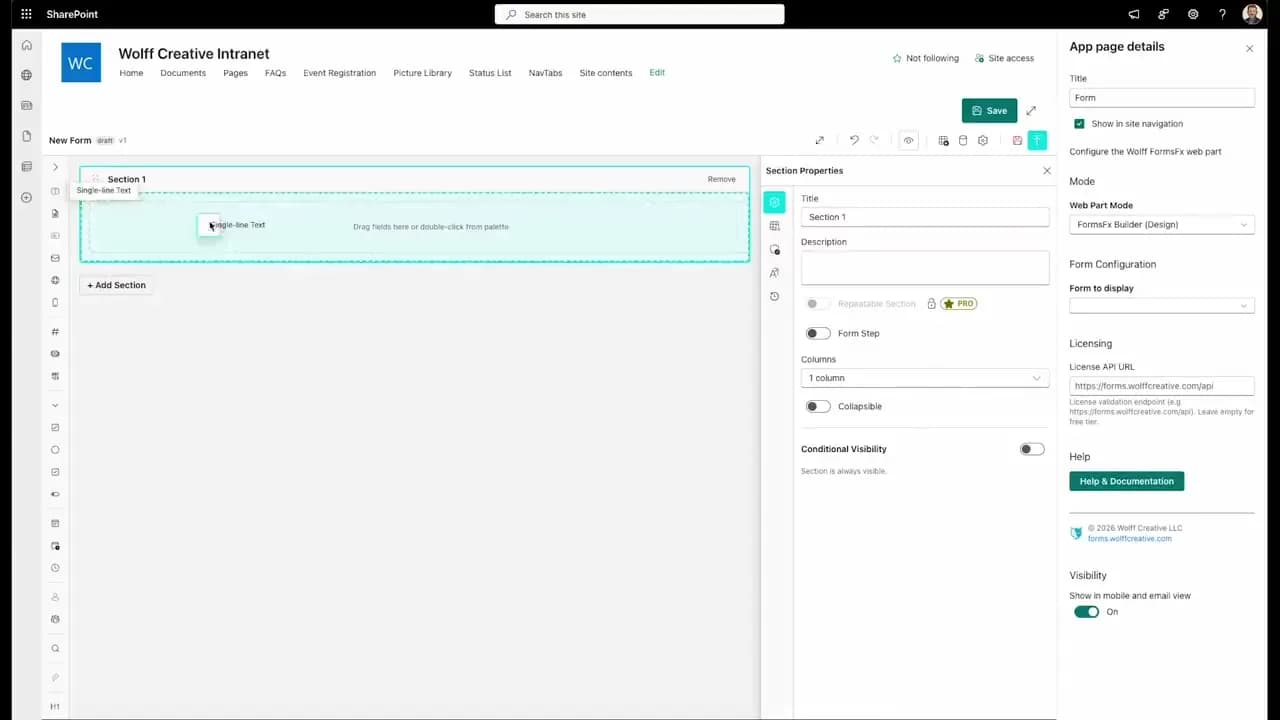
FormsFx: A Drag-and-Drop SharePoint Form Builder with Rules, Formulas, and Cascading Dropdowns
We built a SharePoint form builder that does what InfoPath did — conditional logic, calculated fields, cascading dropdowns — but runs natively as an SPFx web part. Here's how it works under the hood.
Read More →
FormsFx Has a Built-In Submissions Dashboard — Here's Why That Matters
Most SharePoint form builders stop at form submission. FormsFx includes a full dashboard for managing, searching, filtering, exporting, and approving submissions — no Power BI or custom views required.
Read More →
Offline Forms, Webhook Signatures, and Enterprise Connectors — FormsFx Beyond SharePoint Lists
FormsFx doesn't just write to SharePoint lists. It supports offline submission queuing, HMAC-signed webhooks for Power Automate, and enterprise connectors for SQL Server, Dataverse, REST APIs, and Azure Service Bus.
Read More →Need Help With This?
I help Eastern Shore businesses with web development, marketing, and AI automation. Let's talk about your project.
Need Help With Your Project?
Ready to take your business to the next level? Let's discuss how I can help.