How to Improve Local SEO Without Paying for Ads
Practical tips for small businesses that want real results — not expensive campaigns. Learn 7 proven strategies to boost your local visibility without spending a cent.
Practical tips for small businesses that want real results — not expensive campaigns.
Most small businesses think SEO means throwing money at ads or agencies. But here's the truth: you can massively boost your local visibility without spending a cent.
Local SEO is about showing up when nearby customers search for what you offer — and with the right approach, you can outrank even bigger competitors in your area.
1. Claim and Optimize Your Google Business Profile
If you only do one thing from this list — do this.
Your Google Business Profile (GBP) is what shows up in Maps and local searches.
Here's how to optimize it:
- Fill out every field — address, phone, hours, website, and services
- Add photos of your storefront, products, or work
- Post short updates monthly (Google treats it like social content)
- Encourage satisfied clients to leave reviews — they're local SEO gold
💡 Tip: Reply to every review — it signals to Google that you're active and customer-focused.
2. Keep Your NAP Consistent Everywhere
NAP = Name, Address, Phone number.
Make sure it's identical across your website, social media, and directories. Even a small mismatch ("Street" vs "St.") can confuse search engines and hurt your ranking.
3. Create Location-Focused Pages or Posts
If you serve multiple towns (like Salisbury, Berlin, Ocean Pines, or Rehoboth Beach), create dedicated pages or blog posts for each.
Each page should:
- Mention the specific location naturally
- Include a local photo or testimonial
- Have a call to action that references that area
This helps you appear in searches like "web designer near Salisbury MD" or "Ocean City SharePoint consultant."
4. Get Local Backlinks
A backlink from a local business or publication is worth more than one from a random global site.
Easy ways to earn them:
- Join your local chamber of commerce or business directory
- Offer a quote for a local news story or blog
- Collaborate with nearby businesses for cross-promotion
Even one or two quality local links can noticeably bump your visibility.
5. Write Helpful Content (Like This!)
Regular content that answers real questions keeps your site fresh and relevant.
Write about:
- Common client questions ("What does a website redesign cost?")
- Local topics ("How Ocean City Businesses Can Compete Online")
- Industry tips with regional flavor ("Power Apps for Small Teams on the Eastern Shore")
Google loves content that's written for humans and rooted in a specific place.
6. Make Your Website Fast and Mobile-Friendly
Local searches happen on phones. If your site takes more than a few seconds to load or isn't mobile-optimized, Google will skip it.
Use tools like PageSpeed Insights to test performance and fix issues (compression, caching, image sizing, etc.).
7. Use Schema Markup (If Possible)
If you're comfortable with web development (or hire someone who is), add LocalBusiness schema to your site.
It helps Google understand your business type, location, and contact info — which boosts visibility in local packs.
You Don't Need Ads to Win Local Search
You don't need to pay for ads to win local search. You just need to show Google (and your customers) that you're real, active, and local.
Do these seven things consistently, and your business will start showing up higher — especially when it matters most: when customers nearby are ready to buy.
Want help improving your local SEO or modernizing your site? Get a Free Quote
Tags

About Kevin Wolff
Kevin is a web developer and digital strategist based in Ocean City, MD. He specializes in creating modern websites, SharePoint solutions, and digital marketing strategies that help businesses grow online.
Free: AI Readiness Checklist
Subscribe and instantly download our 15-question checklist to discover where AI automation can save you time and grow your business.
Related Articles
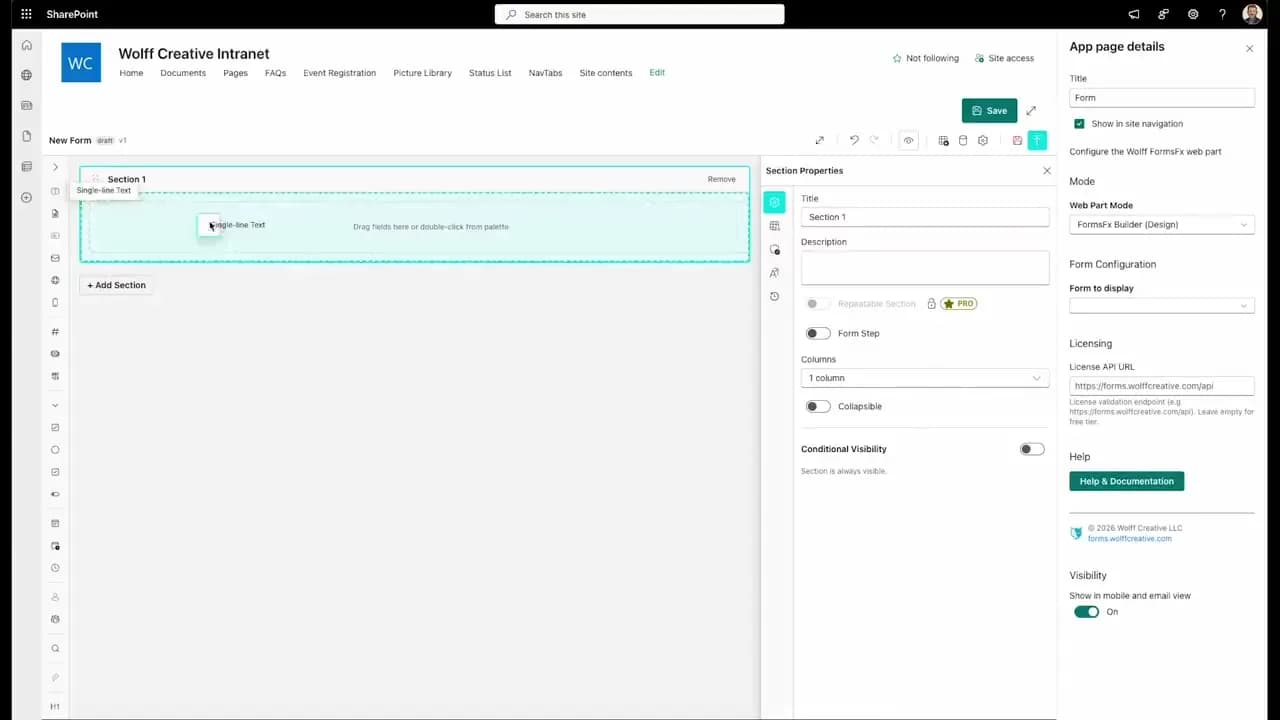
FormsFx: A Drag-and-Drop SharePoint Form Builder with Rules, Formulas, and Cascading Dropdowns
We built a SharePoint form builder that does what InfoPath did — conditional logic, calculated fields, cascading dropdowns — but runs natively as an SPFx web part. Here's how it works under the hood.
Read More →
FormsFx Has a Built-In Submissions Dashboard — Here's Why That Matters
Most SharePoint form builders stop at form submission. FormsFx includes a full dashboard for managing, searching, filtering, exporting, and approving submissions — no Power BI or custom views required.
Read More →
Offline Forms, Webhook Signatures, and Enterprise Connectors — FormsFx Beyond SharePoint Lists
FormsFx doesn't just write to SharePoint lists. It supports offline submission queuing, HMAC-signed webhooks for Power Automate, and enterprise connectors for SQL Server, Dataverse, REST APIs, and Azure Service Bus.
Read More →Need Help With This?
I help Eastern Shore businesses with web development, marketing, and AI automation. Let's talk about your project.
Need Help With Your Project?
Ready to take your business to the next level? Let's discuss how I can help.