How Ocean City Businesses Should Prepare Their Websites for 2026 Tourism Season
November is your secret weapon for summer success. Learn why smart Ocean City businesses start their website prep now—and exactly what to update before tourists start searching.
The best time to prepare your Ocean City website for summer 2026?
Right now.
After working with dozens of Ocean City tourism businesses over the past 15 years, I've noticed a clear pattern: the businesses that thrive during peak season are the ones that started preparing their digital presence in November.
Here's why November matters—and exactly what you need to update before 8 million tourists start searching for Ocean City experiences.
🗓️ Why November Is Your Secret Weapon
Most Ocean City businesses think about their website in March or April—right when tourists are already searching and booking.
That's too late.
Here's what actually happens:
January-March: Families research and plan summer vacations April-May: Bookings accelerate as availability shrinks June-August: Peak season (you're too busy to optimize anything)
If you wait until spring to update your website, you've already missed the critical research phase when tourists compare options and make decisions.
Smart businesses prepare in November for three reasons:
- Tourist Search Patterns Start Early → Families research vacations 4-6 months ahead
- SEO Takes Time → Google needs 3-4 months to recognize and rank new content
- You're Not Busy → November gives you time to do it right, not rushed
Think of November as your staging period—when you build the systems that will carry you through the chaos of summer.
📱 Update #1: Mobile Experience (This Isn't Optional Anymore)
In summer 2025, 78% of Ocean City website traffic came from mobile devices.
Tourists browse on phones while sitting on the beach, walking the boardwalk, and deciding where to eat dinner.
If your website isn't mobile-first, you're invisible.
What to Check Right Now:
Load Speed on Mobile
- Open your website on your phone using cellular data (not WiFi)
- If it takes more than 3 seconds to load, you're losing customers
- Test with Google PageSpeed Insights
- Target: Load time under 2 seconds on 4G
Touch-Friendly Navigation
- Can you tap buttons easily without zooming?
- Is the phone number clickable (tap-to-call)?
- Are forms easy to fill out on a small screen?
- Can you book/order without frustration?
Readable Text Without Zooming
- Font size minimum 16px
- Clear contrast (dark text on light backgrounds)
- Short paragraphs (mobile users skim)
- Large, obvious CTAs ("Book Now", "Order Online")
💡 Pro Tip: Use Google's Mobile-Friendly Test to get a quick assessment. If you fail, prioritize fixing this before anything else.
🎯 Update #2: Booking & Ordering Systems
Remember The Crab House case study from my portfolio?
After implementing a modern online ordering and reservation system, they saw:
- 45% increase in online orders
- 60% boost in reservations
- 300% improvement in mobile conversions
- 50% reduction in phone calls (freeing up staff)
The pattern is clear: Make it easy to book/order, or tourists will choose your competitor.
Essential Features for 2026:
For Restaurants:
- ✅ Direct online ordering (not just third-party apps)
- ✅ Real-time reservation system
- ✅ Menu with prices (tourists want transparency)
- ✅ Dietary filters (vegan, gluten-free, allergens)
- ✅ Mobile-optimized checkout
For Activities/Attractions:
- ✅ Real-time availability calendar
- ✅ Secure online payment processing
- ✅ Instant confirmation emails/SMS
- ✅ Easy cancellation/rescheduling
- ✅ Group booking options
For Accommodations:
- ✅ Live availability and pricing
- ✅ Photo galleries (lots of them)
- ✅ Virtual tours or 360° views
- ✅ Guest reviews prominently displayed
- ✅ Secure payment with clear refund policy
The Red Flag: If tourists have to call or email to book, you're losing 70% of potential customers who will just click to your competitor instead.
⚡ Update #3: Website Speed & Performance
Page load speed directly impacts your revenue.
Studies show:
- 1-second delay = 7% reduction in conversions
- 3-second load time = 53% of mobile visitors abandon
- Amazon found that every 100ms delay cost them 1% in sales
For Ocean City businesses competing for tourist dollars, speed is a competitive advantage.
Performance Checklist:
Image Optimization
- Compress all images (use WebP format)
- Lazy load images below the fold
- Responsive images sized for mobile
- Target: Images under 200KB each
Modern Web Framework
- Consider Next.js, Gatsby, or other fast frameworks
- Enable server-side rendering for SEO
- Implement caching strategies
- Use a CDN for faster global delivery
Remove Bloat
- Audit plugins and third-party scripts
- Remove unused features
- Minimize custom fonts
- Clean up old code
Hosting Matters
- Upgrade from shared hosting if needed
- Use SSD storage
- Enable caching
- Consider managed WordPress hosting or modern alternatives
💡 Real Example: One Ocean City restaurant I worked with reduced their load time from 8 seconds to under 2 seconds. The result? A 200% increase in mobile conversions and significantly higher Google rankings.
🔍 Update #4: SEO for Tourism Discovery
When families plan Ocean City vacations, they don't start with your website—they start with Google.
Your goal: Be visible when they search.
SEO Timeline for 2026 Success:
November-December 2025: Lay the foundation
- Update Google Business Profile (complete every field)
- Create location-specific landing pages
- Optimize for "near me" searches
- Build local links and citations
January-March 2026: Target active researchers
- Publish helpful content ("Things to do in Ocean City when it rains")
- Create seasonal guides and local tips
- Target long-tail keywords ("family-friendly Ocean City restaurants")
- Gather and showcase customer reviews
April-May 2026: Capture high-intent searchers
- Promote availability and special offers
- Update meta descriptions with urgency ("Book before summer fills up")
- Retarget website visitors with ads
- Leverage social proof and testimonials
Keywords That Actually Work:
High-Intent Searches (ready to book):
- "Ocean City [your business type] near me"
- "best [your service] in Ocean City MD"
- "[your business type] Ocean City boardwalk"
- "Ocean City [your service] open now"
Research-Phase Searches (planning trip):
- "things to do in Ocean City Maryland"
- "where to eat in Ocean City"
- "Ocean City family activities"
- "Ocean City MD vacation guide"
Local Modifier Gold:
- Ocean City, OCMD, Ocean City Maryland
- Boardwalk, bayside, downtown OC
- Near [landmark]: Jolly Roger, Seacrets, inlet
- Worcester County, Delmarva, Eastern Shore
💡 Strategy Tip: Create a "Local's Guide" page targeting research-phase keywords. This builds authority and trust while capturing early-stage planners who will book later.
📝 Update #5: Fresh, Relevant Content
Stale content kills trust.
If your website still says "Summer 2024 Hours" or has outdated menus, tourists assume you're closed or don't care about accuracy.
Content Refresh Checklist:
Update Immediately:
- ✅ Hours of operation (include seasonal variations)
- ✅ Prices and menus (nothing frustrates more than wrong prices)
- ✅ Photos (show your actual current space, not stock photos)
- ✅ Special events and seasonal promotions
- ✅ Contact information (verify phone, email still work)
Add for 2026:
- ✅ 2026 seasonal calendar
- ✅ New attractions or menu items
- ✅ Updated COVID/health policies (if relevant)
- ✅ Parking and accessibility information
- ✅ Weather contingency plans
Content That Builds Trust:
- Behind-the-scenes stories (show your team, your process)
- Customer testimonials and reviews
- Local partnerships and community involvement
- Your Ocean City history and expertise
- Answers to common tourist questions
Blog Content Ideas for Tourism Businesses:
- "10 Things to Do in Ocean City When It Rains" (huge search volume)
- "Local's Guide to [Your Area]" (insider credibility)
- "What to Expect: A Day at [Your Business]" (reduces uncertainty)
- "Ocean City Seasonal Guide" (target different visitor types)
- "Family-Friendly vs. Adult Activities" (help them choose)
Why This Matters: Fresh content signals to Google that your business is active and relevant. It also gives tourists confidence that you're prepared for their visit.
♿ Update #6: Accessibility & Compliance
Website accessibility isn't just ethical—it's increasingly a legal requirement.
ADA lawsuits against inaccessible websites increased 300% from 2020-2024, and tourism businesses are common targets because of their public-facing nature.
Basic Accessibility Requirements:
Visual Accessibility:
- Text contrast ratio of at least 4.5:1
- Font size adjustable without breaking layout
- Alt text for all images
- No text embedded in images
Navigation Accessibility:
- Keyboard navigation (no mouse required)
- Clear focus indicators
- Skip-to-content links
- Logical heading hierarchy (H1, H2, H3)
Form Accessibility:
- Clear labels for all form fields
- Error messages that explain how to fix
- Required fields clearly marked
- No time limits on form completion
Media Accessibility:
- Captions for videos
- Transcripts for audio content
- Audio descriptions for visual content
- Pause/stop controls for auto-playing media
⚠️ Legal Note: WCAG 2.1 AA is the current standard. While not all websites are legally required to comply, public accommodations (which includes most tourism businesses) face increasing scrutiny.
Quick Accessibility Check:
- Use WAVE Web Accessibility Tool
- Navigate your entire site using only keyboard (no mouse)
- Use a screen reader to experience your site (VoiceOver on Mac, NVDA on Windows)
- Check color contrast with WebAIM Contrast Checker
The Bonus: Accessible websites are also better for SEO, mobile users, and everyone. It's not just compliance—it's good business.
📊 Update #7: Analytics & Tracking
You can't improve what you don't measure.
Before the 2026 season starts, make sure you're tracking the right metrics so you can optimize throughout the summer.
Essential Tracking Setup:
Google Analytics 4
- Goals for key actions (bookings, orders, calls)
- E-commerce tracking for online sales
- Event tracking for important interactions
- Audience segmentation (tourists vs. locals)
Google Search Console
- Monitor search rankings
- Identify keyword opportunities
- Track click-through rates
- Find and fix technical issues
Conversion Tracking
- Form submissions
- Phone calls (use call tracking numbers)
- Online orders and bookings
- Email signups and downloads
Heatmaps & Session Recording (optional but powerful)
- See where users click and scroll
- Identify friction points in booking process
- Understand mobile vs. desktop behavior
- Find and fix confusing navigation
Key Metrics to Watch:
Traffic Metrics:
- Organic search traffic growth
- Mobile vs. desktop split
- Traffic sources (search, social, direct, referral)
- Peak traffic times and days
Engagement Metrics:
- Bounce rate (should be under 50%)
- Pages per session (higher is better)
- Average session duration
- Return visitor percentage
Conversion Metrics:
- Conversion rate (bookings/orders per visitor)
- Cost per acquisition
- Revenue per visitor
- Funnel drop-off points
💡 Set Up Now: Establish baseline metrics in November-December so you can measure improvement during peak season. Track year-over-year changes to gauge real growth.
🎯 Your November-to-June Implementation Timeline
November-December 2025: Foundation
- ✅ Audit current website (speed, mobile, accessibility)
- ✅ Fix critical performance issues
- ✅ Update all content and information
- ✅ Set up tracking and analytics
- ✅ Plan content calendar for Q1 2026
January-February 2026: Optimization
- ✅ Implement SEO improvements
- ✅ Create tourist-focused content
- ✅ Test and optimize booking systems
- ✅ Build email list and automation
- ✅ Update Google Business Profile
March-April 2026: Promotion
- ✅ Launch seasonal promotions
- ✅ Increase social media activity
- ✅ Start paid advertising campaigns
- ✅ Leverage partnerships and cross-promotion
- ✅ Encourage early reviews
May 2026: Final Prep
- ✅ Verify all systems under load
- ✅ Brief staff on new features
- ✅ Prepare for high-traffic season
- ✅ Set up monitoring and alerts
- ✅ Create contingency plans
June-August 2026: Execution & Monitoring
- ✅ Monitor performance daily
- ✅ Quick fixes for any issues
- ✅ Gather customer feedback
- ✅ Test improvements for next year
- ✅ Document what works
💡 Common Mistakes to Avoid
After working with Ocean City businesses for over a decade, I've seen the same mistakes repeated every year:
Waiting Until Spring
- Tourist research starts in January
- SEO takes 3-4 months to gain traction
- You'll be competing with businesses who prepared earlier
Ignoring Mobile Users
- 78% of OC traffic is mobile
- Slow mobile = lost revenue
- Desktop-first thinking is outdated
No Clear Call-to-Action
- Tourists need to know what to do next
- "Book Now" should be impossible to miss
- Make the path to conversion obvious
Outdated Information
- Wrong hours, old menus, broken links
- Kills trust immediately
- Google penalizes stale content
Poor Photography
- Stock photos feel impersonal
- Blurry or dated photos hurt credibility
- Invest in professional photos or take great phone photos
No Booking System
- "Call to reserve" loses 70% of potential customers
- Tourists want instant confirmation
- Online booking is expected, not optional
Ignoring Off-Season
- Locals sustain your business year-round
- Don't abandon them for tourist focus
- Balance messaging for both audiences
🚀 Real Success Story: How Early Prep Paid Off
Last year, I worked with an Ocean City activity business that took this November prep seriously.
What They Did:
- November: Website redesign with mobile focus
- December: Implemented online booking system
- January-February: Created SEO-optimized content
- March: Launched targeted ads and social media
- April: Refined based on early season data
The Results:
- 250% increase in online bookings vs. previous year
- #1 Google ranking for their primary keywords by May
- 40% reduction in phone calls (freeing staff for better service)
- 30% higher revenue during peak season
- Sold out weekends by mid-June (vs. day-of availability in 2024)
The Key: They started in November and built momentum through Q1, so when tourists started booking in earnest, they were already winning.
🎯 Action Plan: What to Do This Week
Don't let this be just another article you read and forget.
Here's your action plan for the next 7 days:
Day 1: Audit
- Test your website on mobile (use real cellular data)
- Run Google PageSpeed Insights
- Check Google Business Profile for accuracy
- Review all content for outdated info
Day 2: Prioritize
- List critical issues (broken booking, wrong hours, slow mobile)
- Identify quick wins (update hours, add click-to-call, compress images)
- Estimate time and cost for major updates
Day 3: Research
- Analyze competitor websites
- Check your Google rankings for key terms
- Review analytics from last summer
- Identify your biggest opportunity areas
Day 4-5: Plan
- Create specific goals for 2026 season
- Draft content calendar for Jan-May
- Outline website improvements
- Budget for necessary updates
Day 6: Start Implementing
- Fix quick wins immediately
- Schedule professional help if needed
- Begin content creation
- Set up tracking and analytics
Day 7: Schedule
- Block time for ongoing updates
- Set monthly review dates
- Create accountability system
- Plan next steps for December
Closing Thoughts
Ocean City's tourism economy is built on 8 million annual visitors who make split-second decisions about where to eat, stay, and play.
Your website is often their first impression—and their last if it's slow, confusing, or outdated.
The businesses that dominate summer 2026 won't be the ones who scramble in April. They'll be the ones who prepared in November, optimized through winter, and entered peak season with systems that convert browsers into bookings.
You have a four-month head start.
Use it wisely.
Need Help Preparing for 2026?
Every Ocean City business has unique needs, challenges, and opportunities.
I offer free website consultations to help you:
- Identify your biggest opportunities
- Create a realistic implementation timeline
- Prioritize updates based on ROI
- Develop a strategy that fits your budget
Let's make 2026 your best season yet.
Written by: Kevin Wolff, Founder of Wolff Creative
Web development and digital strategy for Ocean City tourism businesses. 15+ years helping local businesses maximize their seasonal revenue through smart website strategy.
Tags

About Kevin Wolff
Kevin is a web developer and digital strategist based in Ocean City, MD. He specializes in creating modern websites, SharePoint solutions, and digital marketing strategies that help businesses grow online.
Free: AI Readiness Checklist
Subscribe and instantly download our 15-question checklist to discover where AI automation can save you time and grow your business.
Related Articles
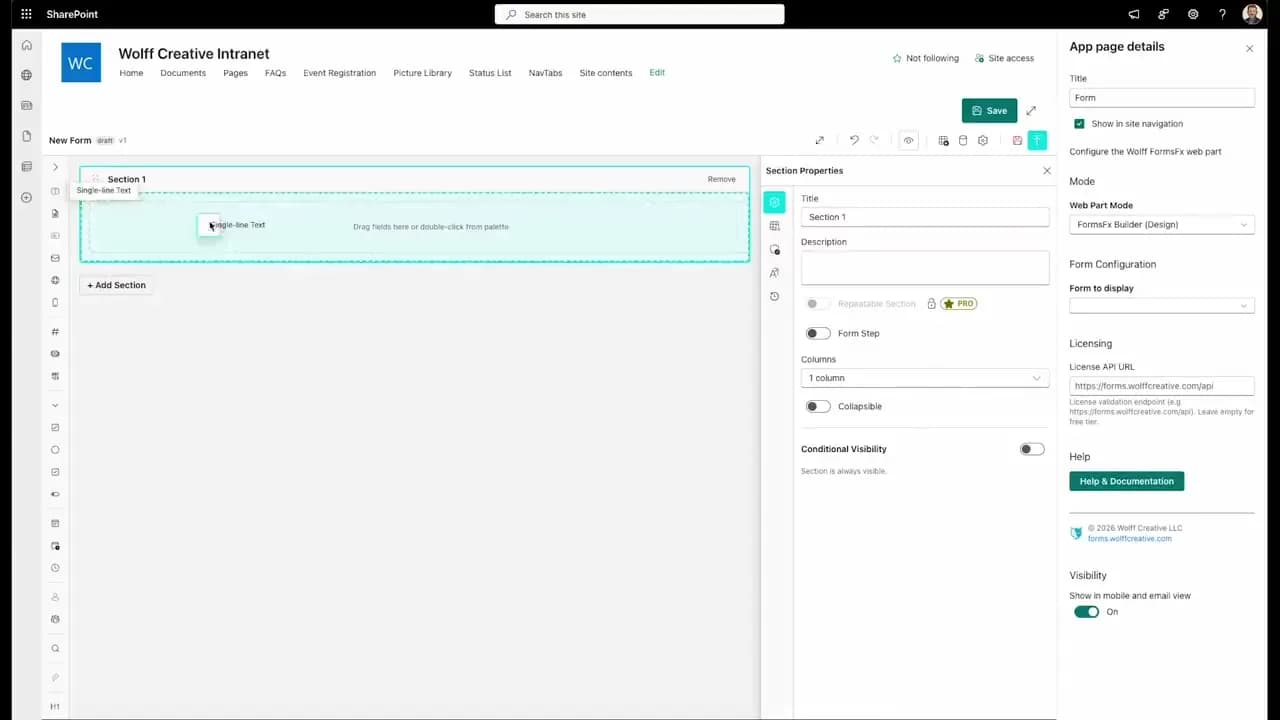
FormsFx: A Drag-and-Drop SharePoint Form Builder with Rules, Formulas, and Cascading Dropdowns
We built a SharePoint form builder that does what InfoPath did — conditional logic, calculated fields, cascading dropdowns — but runs natively as an SPFx web part. Here's how it works under the hood.
Read More →
FormsFx Has a Built-In Submissions Dashboard — Here's Why That Matters
Most SharePoint form builders stop at form submission. FormsFx includes a full dashboard for managing, searching, filtering, exporting, and approving submissions — no Power BI or custom views required.
Read More →
Offline Forms, Webhook Signatures, and Enterprise Connectors — FormsFx Beyond SharePoint Lists
FormsFx doesn't just write to SharePoint lists. It supports offline submission queuing, HMAC-signed webhooks for Power Automate, and enterprise connectors for SQL Server, Dataverse, REST APIs, and Azure Service Bus.
Read More →Need Help With This?
I help Eastern Shore businesses with web development, marketing, and AI automation. Let's talk about your project.
Need Help With Your Project?
Ready to take your business to the next level? Let's discuss how I can help.