5 Signs Your Business Website Needs an Update in 2025
Is your website holding your business back? Here are the key indicators that it's time for a website refresh.
Your website is often the first impression potential customers have of your business. In today's fast-paced digital world, an outdated website can cost you customers, credibility, and revenue. Here are five clear signs it's time to give your website a refresh.
1. Your Website Looks Outdated
If your website design screams 2015 (or earlier), it's time for an update. Design trends evolve quickly, and visitors can instantly tell when a site feels dated. Modern websites feature:
- Clean, minimalist designs with plenty of whitespace
- Mobile-first responsive layouts
- Fast loading times and smooth animations
- Contemporary typography and color schemes
- High-quality, professional photography
The Impact: An outdated design immediately signals to visitors that your business might not be current or professional, causing them to bounce to a competitor's site.
2. Your Site Isn't Mobile-Friendly
With over 60% of web traffic coming from mobile devices, a mobile-optimized website isn't optional—it's essential. Signs your site isn't mobile-friendly:
- Text is too small to read without zooming
- Buttons are too small to tap easily
- Content extends beyond the screen width
- Load times are slow on mobile connections
- Forms are difficult to fill out on mobile
The Solution: Implement responsive design that automatically adapts to different screen sizes, ensuring a seamless experience across all devices.
3. Your Website Loads Slowly
Site speed directly impacts both user experience and search engine rankings. If your website takes more than 3 seconds to load, you're losing visitors and potential customers.
Common Speed Issues:
- Large, unoptimized images
- Outdated hosting or server issues
- Too many plugins or unnecessary code
- Lack of caching and compression
Quick Speed Test: Use tools like Google PageSpeed Insights or GTmetrix to check your site's performance and get specific recommendations for improvement.
4. You're Not Getting Leads or Conversions
If your website isn't generating leads or sales, it might be time for a strategic redesign focused on conversion optimization:
Conversion Killers:
- Unclear value proposition
- Missing or weak calls-to-action
- Confusing navigation
- Lack of trust signals (testimonials, reviews)
- No clear path for visitors to take action
The Fix: Redesign with user experience and conversion goals in mind, making it easy for visitors to understand your value and take the next step.
5. Your Content Management System is Outdated
Using an outdated CMS can create security vulnerabilities and make it difficult to update your content. Signs you need a CMS upgrade:
- Security patches are no longer available
- The interface is clunky and difficult to use
- You can't easily add new content or pages
- Mobile editing isn't supported
- Integration with modern tools is limited
When to Redesign vs. Refresh
Minor Refresh (if you have 1-2 of these signs):
- Update colors, fonts, and imagery
- Optimize for mobile and speed
- Add modern elements and improve UX
Complete Redesign (if you have 3+ of these signs):
- Start fresh with a new design and strategy
- Rebuild on a modern platform
- Focus on conversion optimization and user experience
The ROI of Website Updates
Investing in a website update typically pays for itself through:
- Increased Conversions: Better design and UX can improve conversion rates by 30-50%
- Improved SEO: Modern, fast websites rank better in search results
- Enhanced Credibility: Professional design builds trust with potential customers
- Better User Experience: Happy visitors are more likely to become customers
Next Steps
If your website shows any of these warning signs, don't wait. Every day with an outdated website is a day you're potentially losing customers to competitors with more modern, effective sites.
Ready to update your website? Contact me for a free website audit where I'll identify specific areas for improvement and provide recommendations for modernizing your online presence.
Need help updating your website? I specialize in creating modern, conversion-focused websites for businesses in Ocean City, Maryland, and beyond. Get in touch to discuss your project.
Tags

About Kevin Wolff
Kevin is a web developer and digital strategist based in Ocean City, MD. He specializes in creating modern websites, SharePoint solutions, and digital marketing strategies that help businesses grow online.
Free: AI Readiness Checklist
Subscribe and instantly download our 15-question checklist to discover where AI automation can save you time and grow your business.
Related Articles
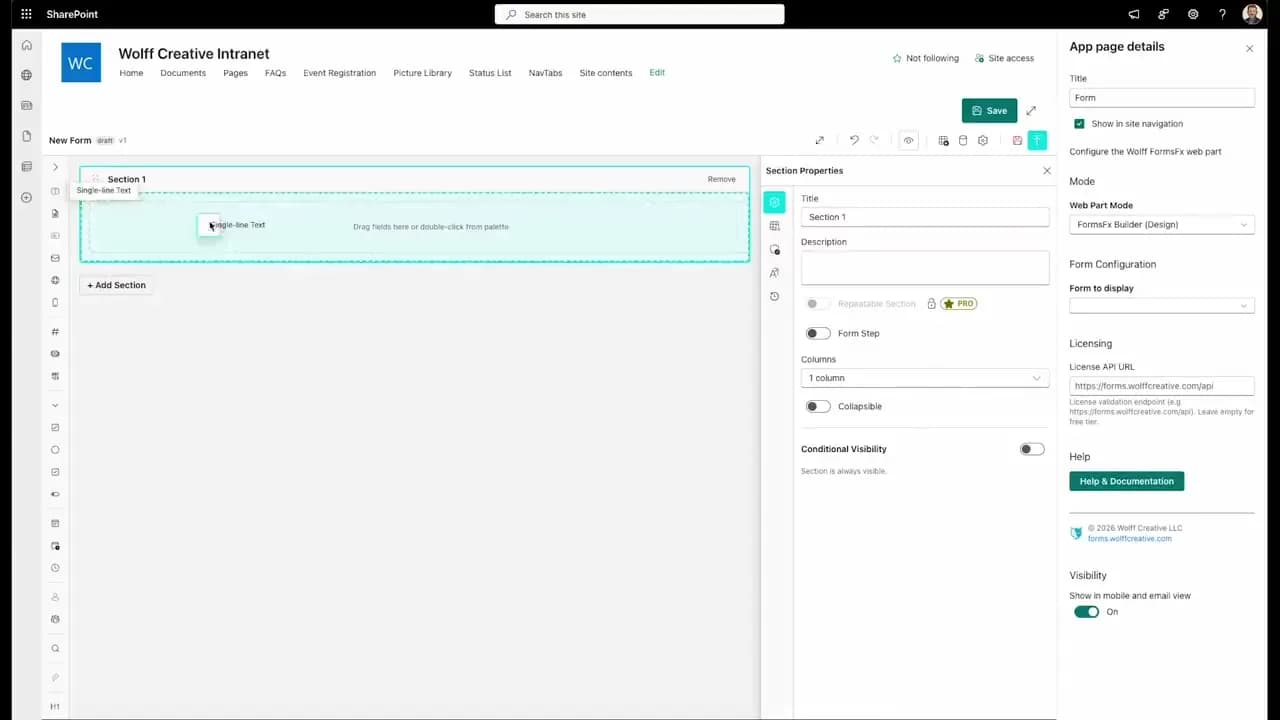
FormsFx: A Drag-and-Drop SharePoint Form Builder with Rules, Formulas, and Cascading Dropdowns
We built a SharePoint form builder that does what InfoPath did — conditional logic, calculated fields, cascading dropdowns — but runs natively as an SPFx web part. Here's how it works under the hood.
Read More →
FormsFx Has a Built-In Submissions Dashboard — Here's Why That Matters
Most SharePoint form builders stop at form submission. FormsFx includes a full dashboard for managing, searching, filtering, exporting, and approving submissions — no Power BI or custom views required.
Read More →
Offline Forms, Webhook Signatures, and Enterprise Connectors — FormsFx Beyond SharePoint Lists
FormsFx doesn't just write to SharePoint lists. It supports offline submission queuing, HMAC-signed webhooks for Power Automate, and enterprise connectors for SQL Server, Dataverse, REST APIs, and Azure Service Bus.
Read More →Need Help With This?
I help Eastern Shore businesses with web development, marketing, and AI automation. Let's talk about your project.
Need Help With Your Project?
Ready to take your business to the next level? Let's discuss how I can help.