5 AI Tools Every Eastern Shore Business Should Be Using in 2026
AI isn't coming to the Eastern Shore—it's already here. Here are five practical, affordable AI tools that are making a real difference for local businesses right now.
AI isn't coming to the Eastern Shore. It's already here. The businesses using it are pulling ahead. The ones ignoring it are working twice as hard for the same results.
I talk to local business owners every week—contractors, restaurant owners, property managers, real estate agents. The most common thing I hear is some version of "I know I should be using AI, but I don't know where to start."
Fair enough. There's a lot of noise out there. So let me cut through it. Here are five AI tools that are practical, affordable, and making a real difference for businesses like yours right now.
1. An AI Chatbot on Your Website
This is the single highest-impact AI tool for any service-based business. Full stop.
Your website gets visitors outside of business hours. Those visitors have questions. If nobody answers, they leave. An AI chatbot changes that equation entirely.
A well-built chatbot does more than answer frequently asked questions. It has a conversation. It asks about the visitor's needs, captures their contact information, qualifies whether they're a real prospect, and can even book an appointment on your calendar. All of this happens instantly, whether it's 2 PM or 2 AM.
For a restaurant, the chatbot handles reservation inquiries, menu questions, and dietary accommodations. For a contractor, it captures project details and schedules estimates. For a property manager, it handles guest questions across an entire portfolio of rentals.
The cost is typically a one-time setup fee plus a small monthly maintenance charge. The return is measured in leads you would have lost and hours you no longer spend answering the same questions repeatedly.
Who should use this: Every business with a website and a phone number. That's not an exaggeration. If people contact you to do business, a chatbot will capture more of those contacts.
2. AI-Powered Email Marketing
You probably have a list of past customers, leads, or contacts sitting in a spreadsheet or your email. Most businesses collect this information and then do absolutely nothing with it.
AI email marketing tools can now write personalized follow-up sequences, segment your audience based on behavior, and send the right message at the right time—automatically. You set it up once, and it nurtures your leads while you focus on running your business.
A plumber who finished a job six months ago? The system sends a maintenance reminder. A prospect who visited your website but didn't book? They get a helpful follow-up three days later. A past customer who hasn't been in your restaurant since summer? They get a seasonal promotion.
This isn't generic spam. Modern AI tools personalize these messages based on what each person actually did on your website or in their previous interactions with your business.
Who should use this: Businesses with repeat customers or a sales cycle longer than one conversation. Restaurants, property managers, real estate agents, and anyone doing seasonal work.
3. AI Content Creation (With Human Editing)
Creating content for social media, your blog, or your email newsletter takes time. Most small business owners start strong, post for two weeks, then stop because they're too busy actually running their business.
AI content tools can generate first drafts of social media posts, blog articles, email newsletters, and even ad copy. The key word is "first drafts." You still need a human to review, edit, and make sure it sounds like you. But going from a blank page to a solid draft in 30 seconds instead of 30 minutes changes the game.
A restaurant owner can generate a week's worth of social media posts in fifteen minutes. A real estate agent can create property descriptions and market updates without hiring a copywriter. A contractor can maintain a consistent blog that helps with SEO without spending hours writing.
The tools I recommend for this are Claude and ChatGPT for writing, and Canva's AI features for graphics. All of these have free tiers or very affordable plans.
Who should use this: Anyone who knows they should be posting on social media or writing blog content but never has time.
4. AI-Powered Review Management
Reviews make or break local businesses. A one-star difference on Google can mean a 20% swing in revenue. But managing reviews—responding to them, requesting them from happy customers, addressing negative ones professionally—takes time and emotional energy.
AI review management tools monitor all your review platforms in one place, draft professional responses to both positive and negative reviews, and automate the process of asking satisfied customers to leave a review. You approve the responses before they go live, but the heavy lifting is done for you.
The most important part: speed. Responding to a negative review within an hour looks very different than responding three days later. AI gives you that speed without requiring you to constantly monitor every platform.
Who should use this: Hospitality businesses, restaurants, contractors, property managers—anyone whose Google reviews directly impact their revenue. If you're on Google Maps, this matters.
5. Automated Scheduling and Client Intake
How much time do you spend going back and forth on scheduling? Three emails to nail down a meeting time. Phone tag to confirm an estimate. Text messages to reschedule.
AI-powered scheduling tools eliminate this entirely. They sync with your calendar, let clients book available times directly, send automatic confirmations and reminders, and reduce no-shows by up to 50%.
But the real power comes when you combine scheduling with intake forms. Before the appointment even happens, the client fills out a form with their project details, budget range, and specific needs. You walk into every meeting fully prepared instead of spending the first fifteen minutes on questions you could have already answered.
For property managers, this means maintenance requests get logged, categorized, and routed to the right vendor automatically. For real estate agents, buyer consultations come with pre-filled preference sheets. For contractors, every estimate visit starts with full project scope already in hand.
Who should use this: Anyone who books appointments or estimates. The time savings compound quickly—even saving fifteen minutes per appointment adds up to hours per week.
Where to Start
You don't need all five at once. Pick the one that addresses your biggest daily frustration.
Losing leads because you can't answer the phone? Start with a chatbot.
Spending too much time on scheduling? Automate it.
Know you should be marketing but can't find the time? Try AI content tools.
The businesses that will thrive on the Eastern Shore over the next few years aren't the ones with the biggest budgets. They're the ones who figured out how to work smarter with the tools available right now.
Every one of these tools is available today, works for small businesses, and costs less per month than you probably spend on coffee.
Not Sure Where to Start?
I put together a free AI Readiness Checklist—fifteen questions to help you figure out which AI tools would have the biggest impact on your specific business. It takes about ten minutes and gives you a clear starting point.
Download it here or reach out directly if you want to talk through where AI makes sense for your business. I offer a free 30-minute AI assessment for Eastern Shore businesses.
Kevin Wolff is the founder of Wolff Creative, an AI-powered marketing and technology company in Ocean City, MD. He helps Eastern Shore businesses automate operations and capture more leads with practical AI tools. Visit wolffcreative.com for a free AI Readiness Checklist or to try a live AI chatbot demo.
Tags

About Kevin Wolff
Kevin is a web developer and digital strategist based in Ocean City, MD. He specializes in creating modern websites, SharePoint solutions, and digital marketing strategies that help businesses grow online.
Free: AI Readiness Checklist
Subscribe and instantly download our 15-question checklist to discover where AI automation can save you time and grow your business.
Related Articles
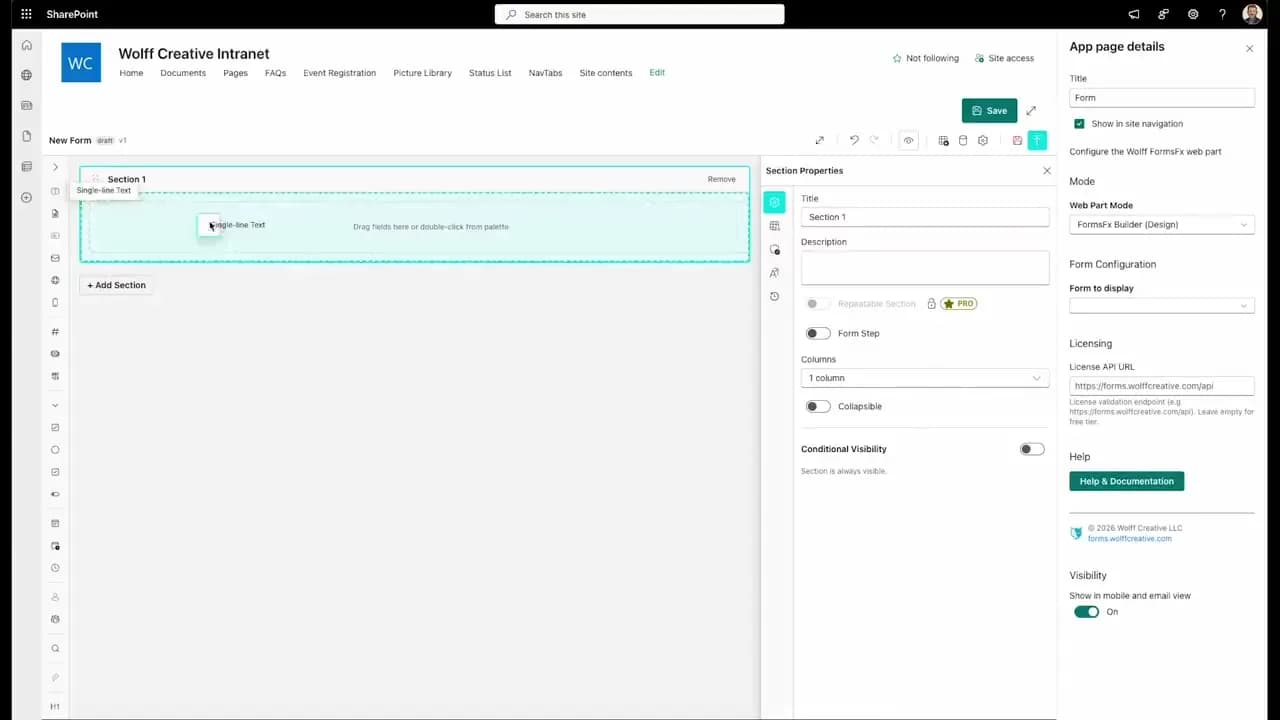
FormsFx: A Drag-and-Drop SharePoint Form Builder with Rules, Formulas, and Cascading Dropdowns
We built a SharePoint form builder that does what InfoPath did — conditional logic, calculated fields, cascading dropdowns — but runs natively as an SPFx web part. Here's how it works under the hood.
Read More →
FormsFx Has a Built-In Submissions Dashboard — Here's Why That Matters
Most SharePoint form builders stop at form submission. FormsFx includes a full dashboard for managing, searching, filtering, exporting, and approving submissions — no Power BI or custom views required.
Read More →
Offline Forms, Webhook Signatures, and Enterprise Connectors — FormsFx Beyond SharePoint Lists
FormsFx doesn't just write to SharePoint lists. It supports offline submission queuing, HMAC-signed webhooks for Power Automate, and enterprise connectors for SQL Server, Dataverse, REST APIs, and Azure Service Bus.
Read More →Need Help With This?
I help Eastern Shore businesses with web development, marketing, and AI automation. Let's talk about your project.
Need Help With Your Project?
Ready to take your business to the next level? Let's discuss how I can help.